
Description
Unleash the power of media on your website with the Media Player Addons for Elementor. This plugin is a comprehensive solution for embedding various media files such as .mp3, .mp4, .flv, .m3u8, .ogg, and more, including popular platforms like YouTube and Vimeo.
Why Media Player Addons?
Media Player Addons come with 10 extra media player widgets that provide you with amazing features and additional media support.
Features
- Fully customizable: Make each player look how you want with the markup you want.
- All In One: Added a few popular media player libraries including Plyr.io, cPlayer, and VideoJS
- Live Stream: Supports HLS, Dash, HTTP Live Streaming, .m3u8 .mpd video playback
- Easy to use: Creating and embedding media players using this addon is fast and easy. Just install the Elementor Plugin and activate the add-ons to get started.
- Playlist: Create Playlists of videos and audio and embed them into your pages/posts. Also, you can put them in other areas of WordPress that are supported by Elementor.
- Favorable: Play all the popular media files such as .mp3, .mp4, .AVI, .mov, .ogg, .webM, .m3u8, .m3u and more. The playlist supports a combined file format.
- Picture-in-Picture: Supports picture-in-picture mode for Videos. It supports the plays inline attribute too.
- Multiple captions: Support for multiple caption tracks/subtitles. Which increases the accessibility of your content.
- Responsive: Each Player can rescale itself to preserve the user experience and look and feel across all devices.
- Translation Ready: POT files are available with the plugin to translate with your WordPress language setup.
- Optimized for Mobile: Players added using this addon are friendly which means it will perfectly in any mobile device with different sizes.
- Maximum Options: Each Player has a maximum collection of options to fit your needs. Each option is well documented and labeled so that you can manage them easily.
Screenshots
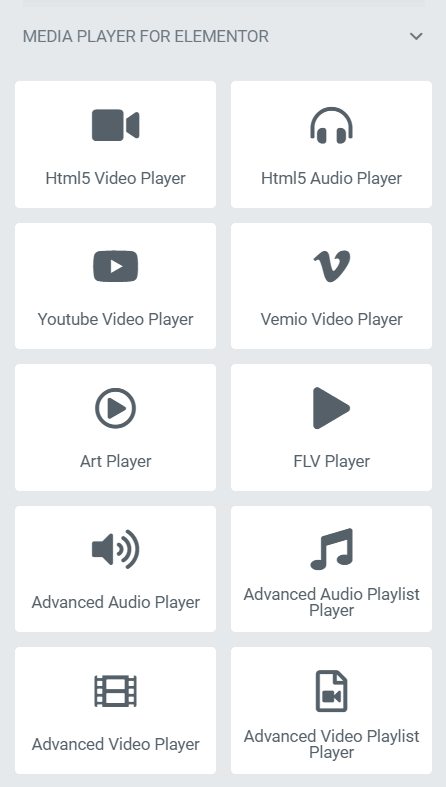


Installation
This section describes how to install the plugin and get it working.
Note: This plugin works with Elementor. Make sure you have Elementor installed.
e.g.
-
Upload the plugin files to the
/wp-content/plugins/plugin-namedirectory, or install the plugin through the WordPress plugins screen directly. -
Activate the plugin through the ‘Plugins’ screen in WordPress.
Usage
- Online document: https://elementoraddons.org/docs/documentation/
Feedback
Like that plugin? Hate it? Want a new feature? [Send your feedback](mailto: support@bplugins.com “Send feedback”)
⭐ Checkout our other WordPress Plugins-
🔥 Html5 Audio Player – Best audio player plugin for WordPress.
🔥 Html5 Video Player – Best video player plugin for WordPress.
🔥 PDF Poster – A fully-featured PDF Viewer Plugin for WordPresss.
🔥 StreamCast – A fully-featured Radio Player Plugin for WordPresss.
🔥 3D Viewer – Display interactive 3D models on the webs.
Reviews


Contributors & Developers
“Media Player Addons for Elementor” is open source software. The following people have contributed to this plugin.
Contributors

Translate “Media Player Addons for Elementor” into your language.
Interested in development?
Browse the code, check out the SVN repository, or subscribe to the development log by RSS.
Changelog
1.0.3 – 17 Sep, 2023
- Fixed Deprecated issue
1.0.2 – 1/27/2022
- Fixed Deprecated issue
- Fixed Advanced Player issue
1.0.1
- Added new blocks. (dPlayer)
1.0.0
- Initial release